Quick guide
Find buyer email inside Etsy order details
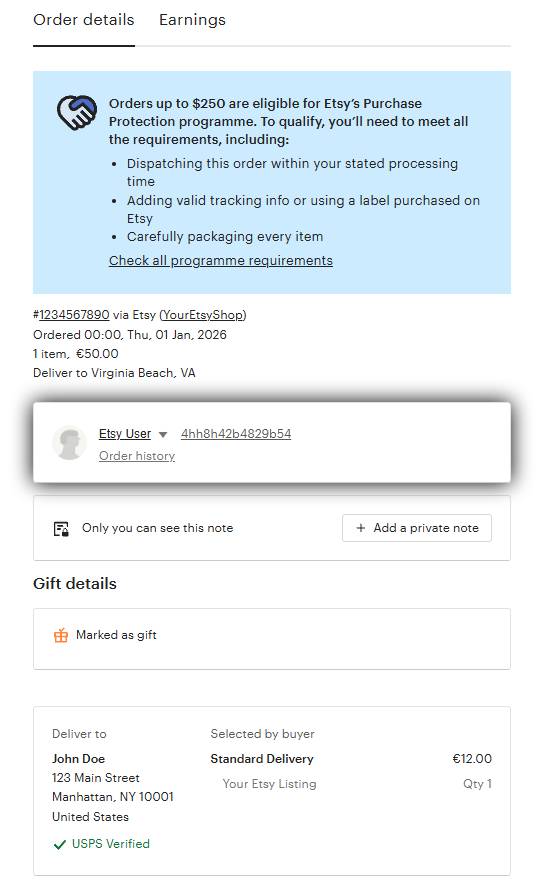
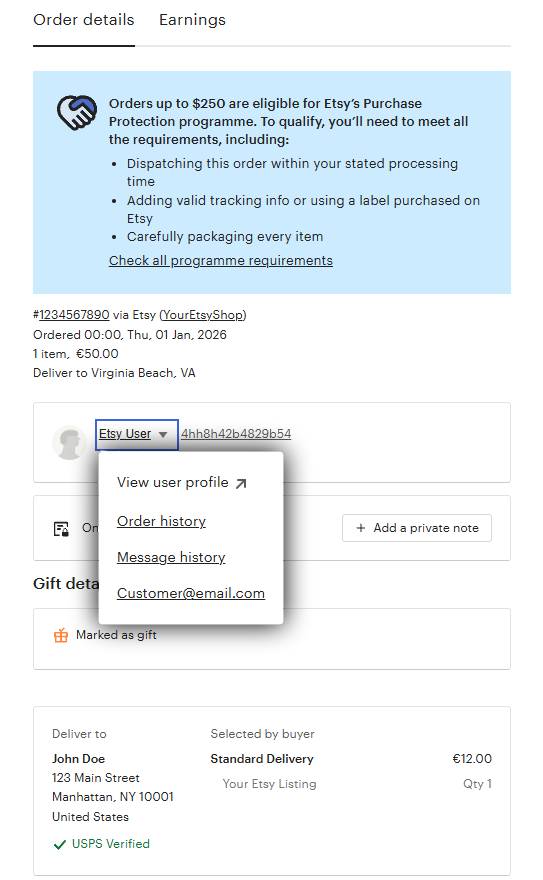
If a parcel is missing an email, open the Etsy order and use the buyer name dropdown to reveal the buyer email. Then paste it into EirPost.
Step-by-step
- Open your Etsy Shop Manager and go to Orders & Shipping.
- Open the specific order you are creating a label for.
- In the buyer row, click the dropdown arrow next to the buyer name.
- Copy the email shown in the dropdown and paste it into the parcel Email Address field in EirPost.
Apple Hide My Email note
If the email ends in @privaterelay.appleid.com, it is an Apple Hide My Email alias and forwards to the buyer's real inbox.
Example format: jane.doe.8f3a91@privaterelay.appleid.com. You can use this relay email as-is in EirPost.
Compliance tip: Etsy recommends keeping support and order communication in Etsy Messages, even when you use the buyer email for shipping workflows.